How to Read a Merchant Statement Without Being a Payments Expert
Merchant statements can look complicated. Knowing the summary, deposits, card breakdown, and fee sections makes them much easier to follow.
The first time you really look at a merchant statement, it can feel like reading a phone bill in another language. Pages of codes, card types, and tiny charges.
Here's the good news. Every processor's statement looks a little different, but almost all of them are built from the same four parts. Find those four parts and you can read nearly any statement.
Part 1: The summary
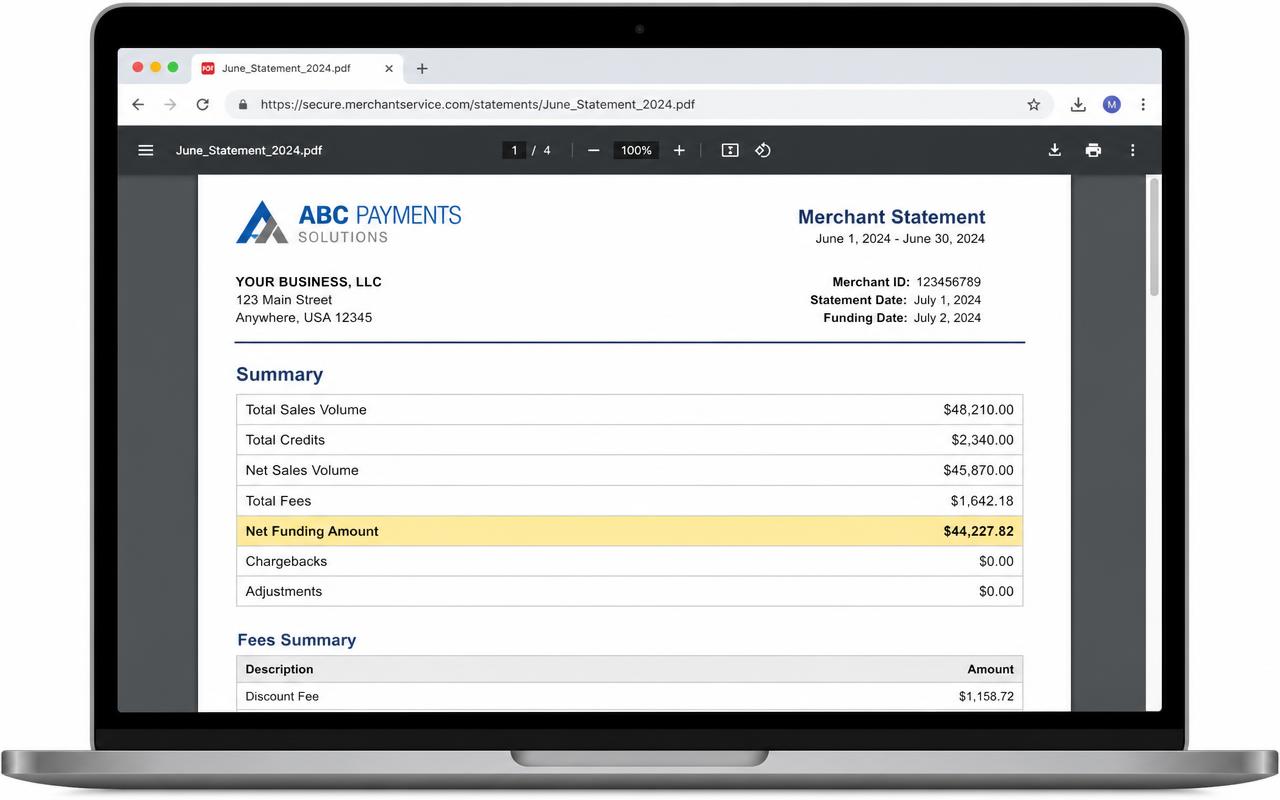
This is usually on the first page. It gives you the big numbers for the month:
- Total sales (sometimes called volume, gross sales, or amount submitted)
- Refunds or returns
- Chargebacks, if any customers disputed a charge
- Total fees
- Net deposits, which is what actually went to your bank
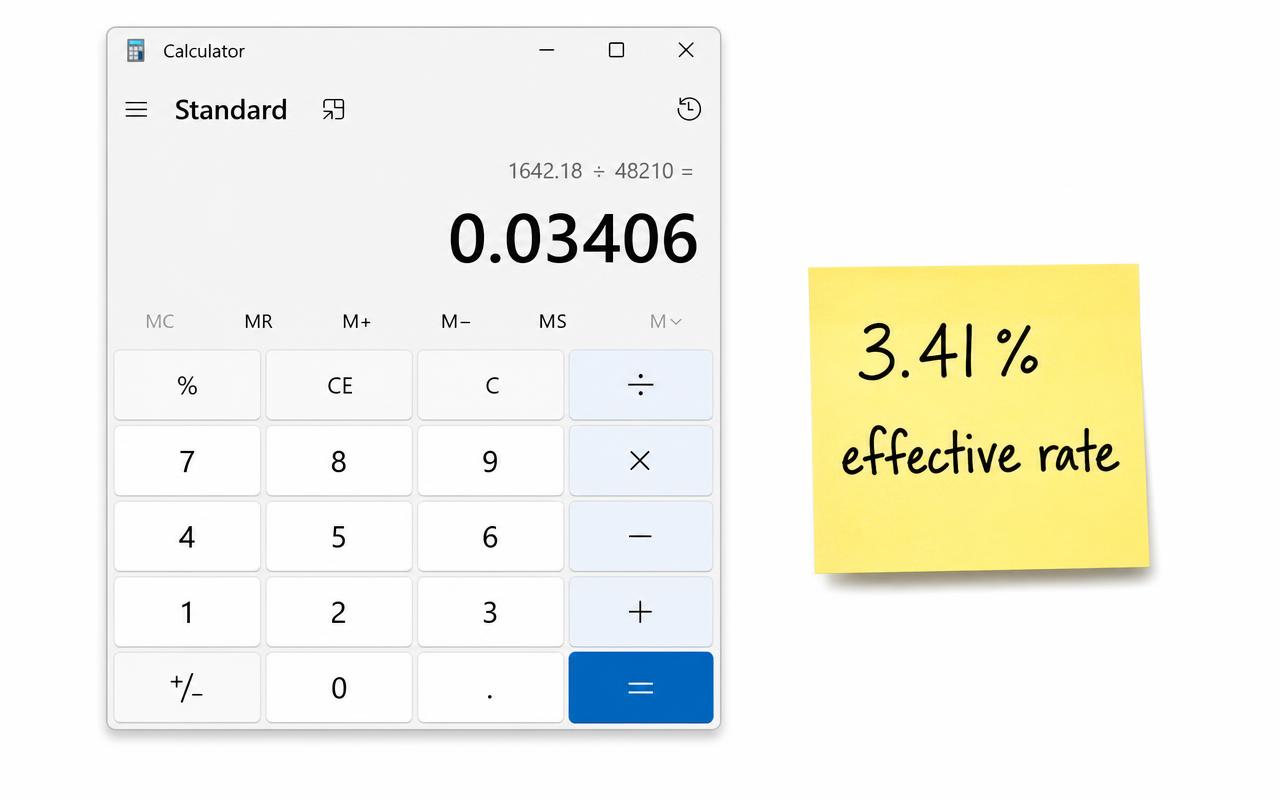
If you only read one section, read this one. Total sales and total fees are the two numbers you need to work out your effective rate.
Example only: a statement summary
Part 2: Deposits
This section lists each day's batch, meaning the group of sales your terminal sent in at the end of the day, and what was deposited for it.
Pay attention to one thing here. Some processors take fees out every day, so each deposit is a little short. Others deposit your full sales and take all the fees out once a month. Neither is wrong, but it changes how your bank account looks.
Part 3: Card type breakdown
Here you'll see your sales split by card brand (Visa, Mastercard, Discover, American Express) and often by card type, like debit, credit, rewards, or business cards.
This part explains a lot about your costs. Debit cards usually cost less to accept. Rewards and business cards usually cost more, because the bank that issued them charges more. If many of your customers use premium cards, your costs will be higher no matter who your processor is.
Part 4: Fees
This is the section that matters most and makes the least sense. It's usually split into groups. The names vary, but you'll typically see something like:
| Section | What's usually in it |
|---|---|
| Interchange or pass-through | What the card-issuing banks charge. Often a long list of codes. |
| Assessments or network fees | What Visa, Mastercard, and the others charge. |
| Processing or discount fees | Your processor's percentage and per-sale charges. |
| Account or other fees | Monthly, yearly, PCI, statement, and similar fees. |
On some statements, especially ones with tiered pricing, everything gets lumped together and you won't see interchange listed at all. That makes it harder to tell what is the card networks' cost and what is your processor's. If that's your statement, this article on quoted vs. effective rates explains why.
Three questions to ask as you read
Why the bank deposit may not match the month's sales
A statement tracks processing activity; your bank tracks money arriving and leaving. They aren't always on the same calendar. A batch submitted at month-end may fund next month. Refunds, disputes, reserves, and fees billed separately can create additional differences.
- Match the statement's date range and merchant account to the bank account you're checking.
- Find one batch, its settlement date, and the matching bank deposit. Check whether fees were withheld or billed later.
- List refunds, chargebacks, reserve holds or releases, and separate fee withdrawals as distinct items.
- If the balance still doesn't reconcile, request a funding report and ask your processor to trace a specific batch—not just explain the monthly total.
A reserve is money held under your processing agreement, not automatically a fee. A chargeback amount is a disputed payment; the separate chargeback handling fee is an expense. Keeping those items apart prevents an inflated effective-rate calculation.
What a fee line is actually calculating
Illustrative example: one fee line
Ask whether a line is calculated from dollar volume, transaction count, batch count, or a fixed monthly amount. That question is often more helpful than trying to decode an abbreviation by itself.
- Do my total fees make sense for my sales? Divide one by the other. Write down the number.
- Can I tell which fees are the card networks' and which are my processor's? If not, ask your processor to explain.
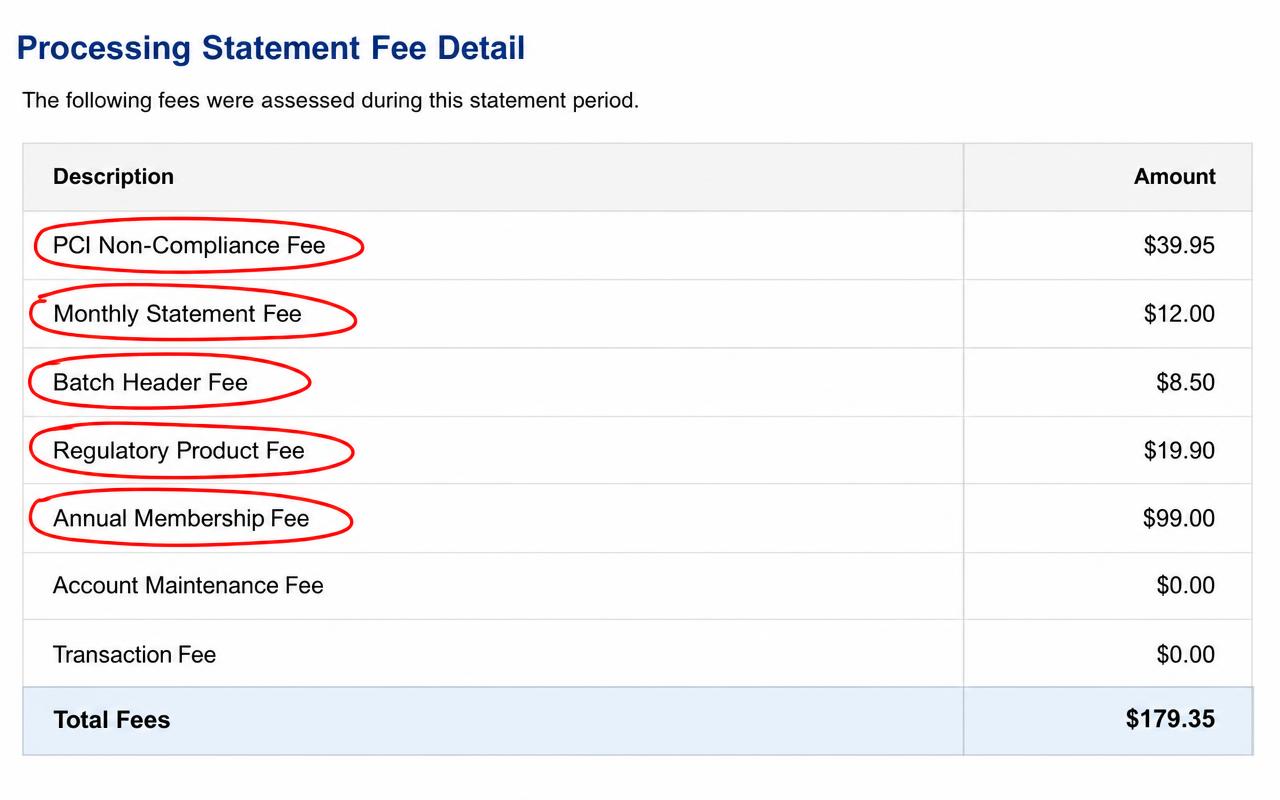
- Is there anything I don't recognize? Circle it. You're allowed to ask what every line means.
You don't need to understand every code. You need to know your totals, spot the processor's fees, and ask about anything that doesn't make sense.
Once you can find the fee section, 5 Fees to Look for on Your Statement tells you which lines deserve a closer look.